In-App UI
Swift (iOS)
UI components
Components
Swift SDK pre-built components
How to use Knock's UI components in your iOS application.
KnockInAppFeedView
#Overview
#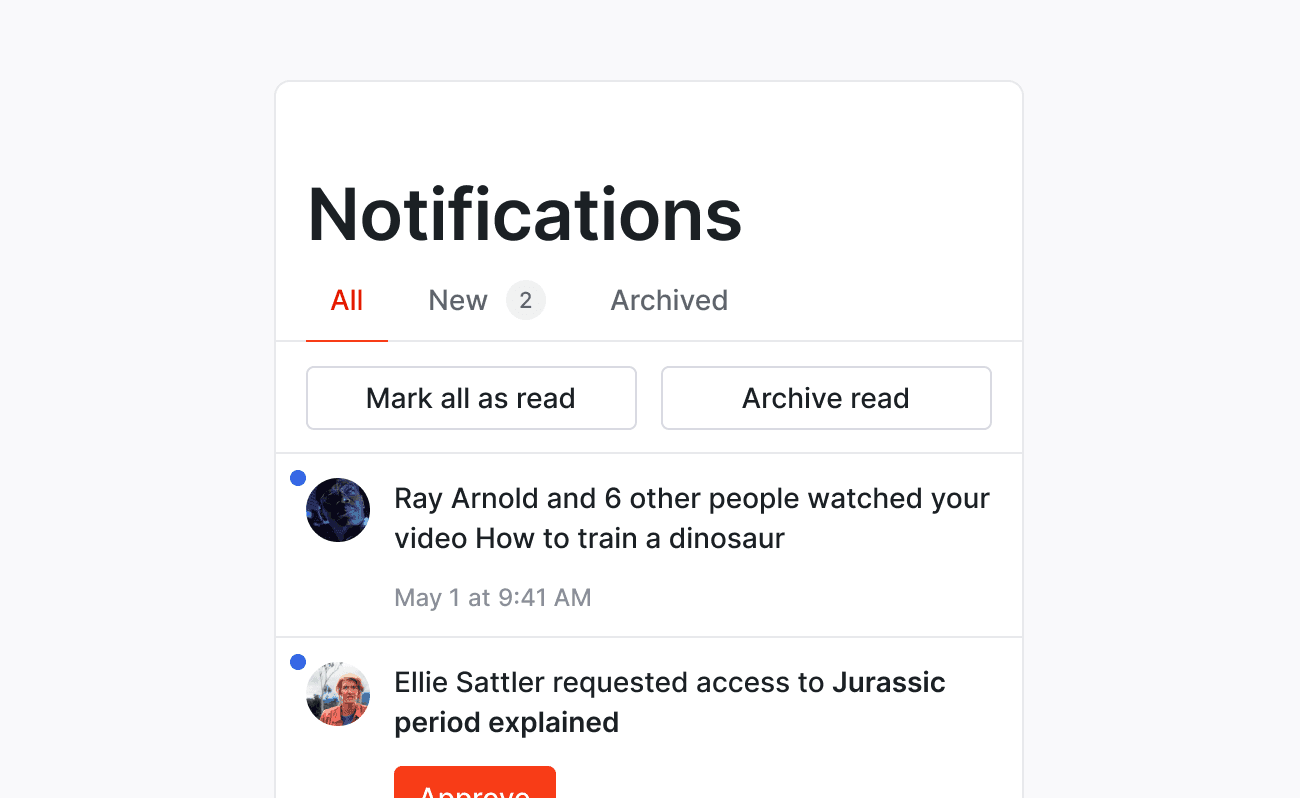
KnockInAppFeedView is a SwiftUI view that renders the in-app notifications feed using data from KnockInAppFeedViewModel. It provides a customizable and interactive user interface for displaying notifications.
Properties
#themeInAppFeedTheme
Defines the appearance of the feed view and its components.Customization
#You can customize almost every aspect of the UI of the KnockInAppFeedView using our customizable themes.
Using UIKit
#If you are using UIKit, use InAppFeedViewController.
See below for an example of how to use this component.
Examples
#SwiftUI
#UIKit
#InAppFeedNotificationIconButton
#Overview
#InAppFeedNotificationIconButton is a SwiftUI view that renders a bell icon button to your application that shows the current count of unread or unseen notifications. This can be used to open your NotificationFeed.
Properties
#themeInAppFeedNotificationIconButtonTheme
Defines the appearance of the feed view and its components.action() -> Void
A callback to alert you when user taps on the button.